

Summary created by Smart Answers AI
In summary:
- PCWorld reports that Microsoft has confirmed Secure Boot certificate update failures on certain PCs, particularly affecting HP models after certificates expired on June 24th.
- While PCs continue operating normally, outdated certificates gradually reduce security protection against new threats over time for Windows 10/11 users.
- Microsoft temporarily paused new certificate issuance for affected devices, requiring users to wait for firmware updates from their PC manufacturers.
On June 24th, several older Microsoft certificates expired, meaning that many Windows 10 and 11 users need to update their computers. Without properly updated certificates, Windows Secure Boot will stop working and can no longer guarantee secure startups.
However, it’s now confirmed that Microsoft has temporarily suspended the issuance of new certificates for certain PCs, including a number of HP models. The company explains on this support page:
On the vast majority of PCs, the full set of Secure Boot certificates install automatically through Windows Update. Some devices require a firmware update from the PC manufacturer before you can install the necessary Secure Boot updates. Many OEMs are actively releasing these firmware updates through their standard update channels. If a firmware update is required, check your OEM’s Secure Boot support page for next steps.
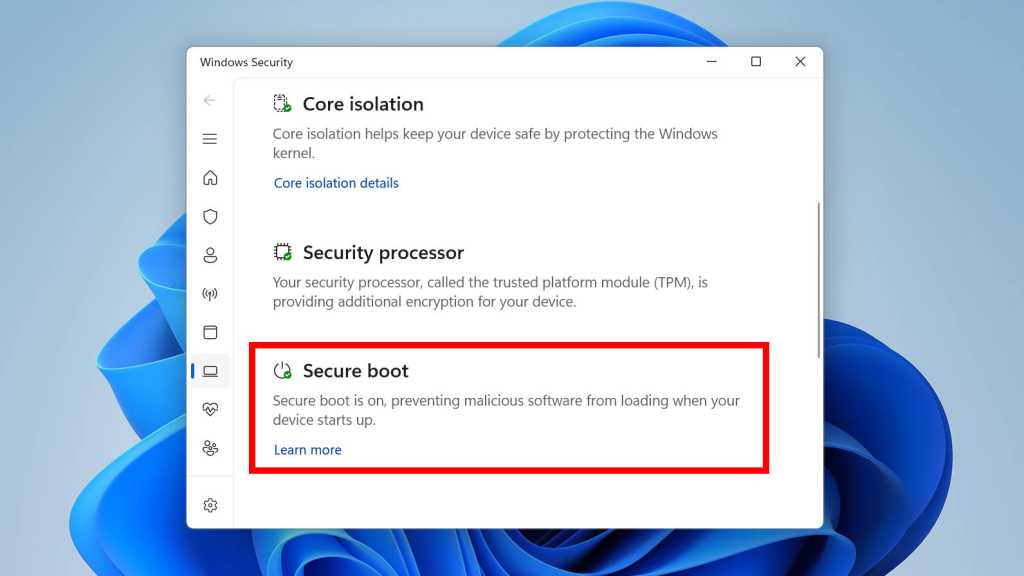
In some cases, Windows Security might indicate that Secure Boot certificate updates are temporarily paused or blocked by displaying one of these messages:
1) Devices in this group are affected by a known issue. To reduce risk, Secure Boot certificate updates are temporarily paused while Microsoft and partners work toward a supported resolution. Contact your device manufacturer for assistance.
2) Secure Boot is on, but your device does not support the automated Secure Boot certificate update due to hardware or firmware limitations. Contact your device manufacturer for assistance.
Until HP and other affected computer manufacturers have provided new firmware, it will not be possible to update the relevant Secure Boot certificates, reports Windows Latest.
The risk of running into trouble due to outdated certificates is currently low, but is likely to increase over time. If you’re affected by this problem, you have no choice but to wait for a solution from Microsoft and HP. You can’t force the Secure Boot update.
Here’s what Microsoft has to say about PCs with Secure Boot certificates that remain un-updated:
If your device reaches the expiration date without the new certificates, it will continue to start and operate normally. Standard Windows updates will still be installed. However, as new security updates are released that address threats to the early boot process, your device won’t be able to receive them and won’t get the latest protections.
Over time, as new threats emerge, a device in this expired state becomes progressively less protected. Features that rely on Secure Boot—such as device encryption or certain startup software—might also stop working properly if they require updated security protection.
By the way: If you’re using Windows 11 Home, you’re missing out on the many benefits of Windows 11 Pro. To learn more, see our comparison of Windows 11 Home and Pro. If you want to upgrade, snag it for cheap in the PCWorld Software Store: now just $59 instead of $99.
This article originally appeared on our sister publication PC för Alla and was translated and localized from Swedish.
