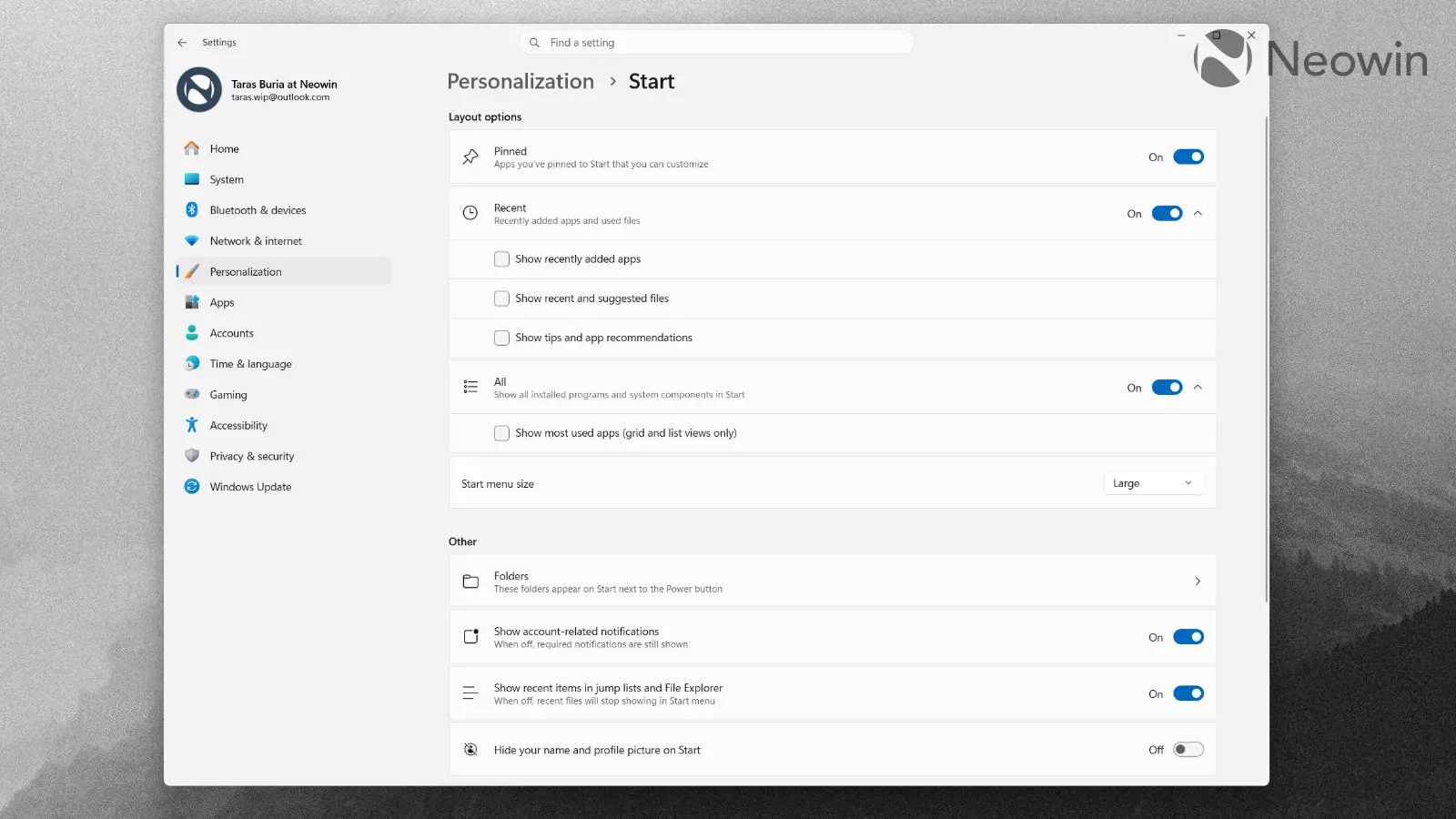

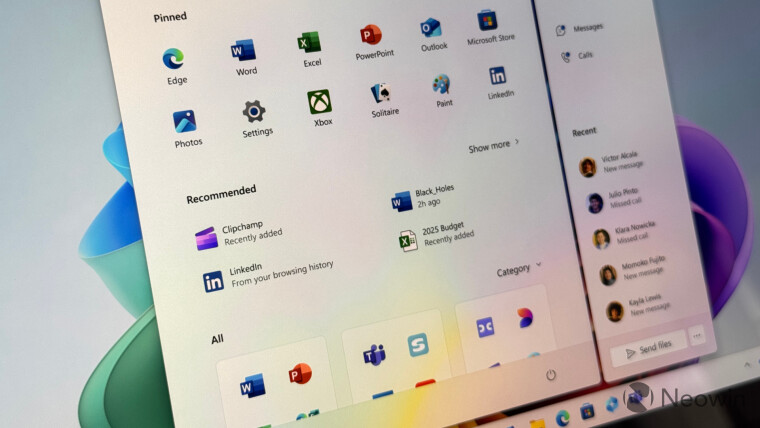
Not-so-long ago, something big happened at Microsoft. The company switched from shoving questionable features into Windows 11 to listening to feedback and implementing stuff that people had been asking for nearly half a decade. People coming from Windows 10 to 11 often complain about the taskbar and Start menu, and Microsoft is now scrambling to fix that. We recently published a closer look at the updated taskbar and its new features, and now it is time to look at the updated Start menu and its new customization options.
In 2025, Windows 11 received a major Start menu redesign. While the update addressed many complaints, certain quirks remain unchanged. You cannot resize the Start menu, use jump lists without recommendations, hide your username, and more. Microsoft recently promised to fix all that, and it took a few weeks to bring the first Windows 11 preview build with the promised changes.
Build 26300.8553, which was released on May 29, 2026, introduces new Start menu features, which include the following:
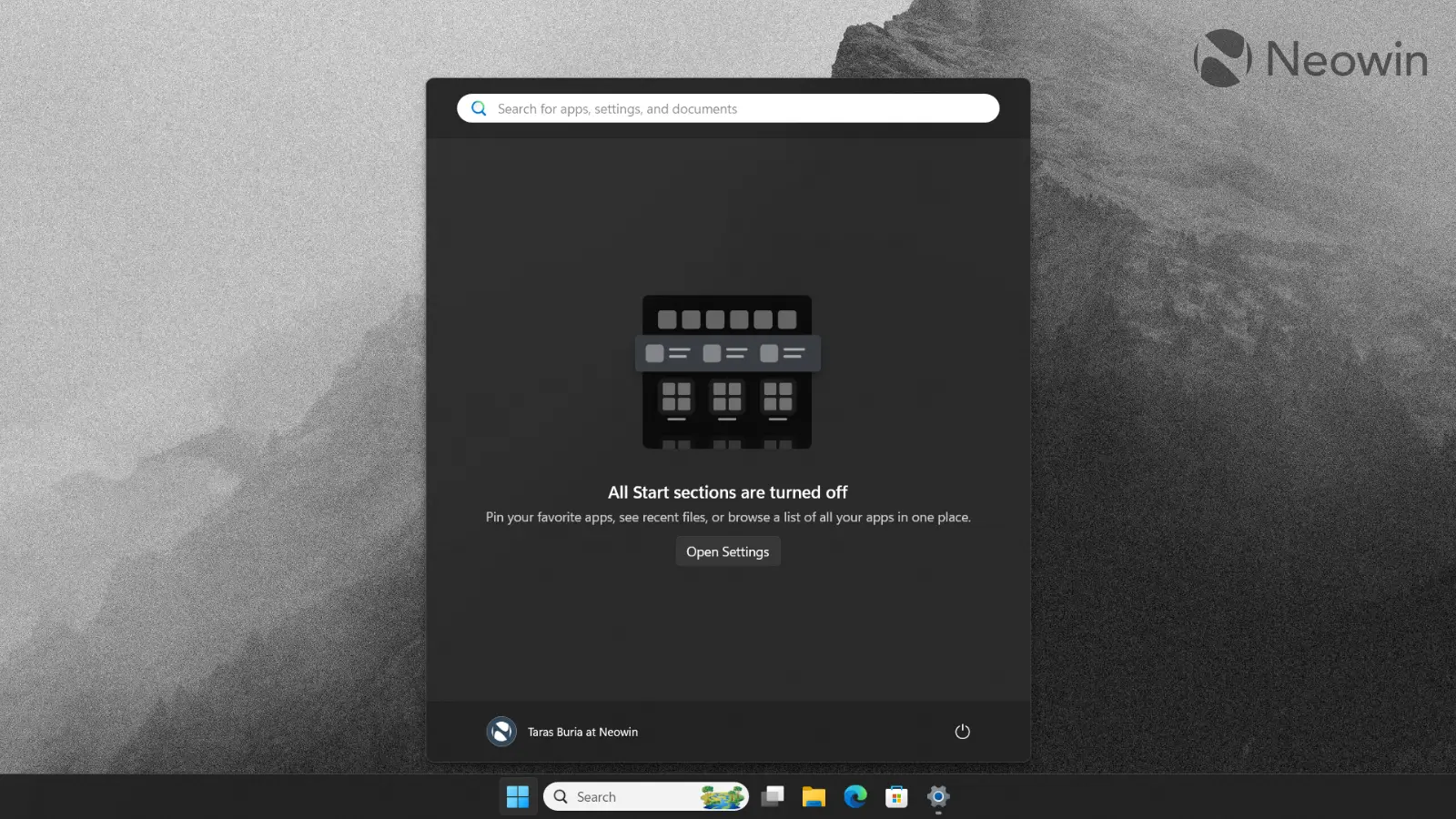
Modular design: You can now enable or disable parts of the Start menu, including pinned apps, recommendations (this section is now called “Recent”), and the All Apps list. Heck, Microsoft lets you turn off everything, and when you do, opening the Start menu shows a message that says “All Start menu sections are off” with a link to the Start menu settings. You can also make it fully blank by keeping the Pinned section and removing all pinned apps.
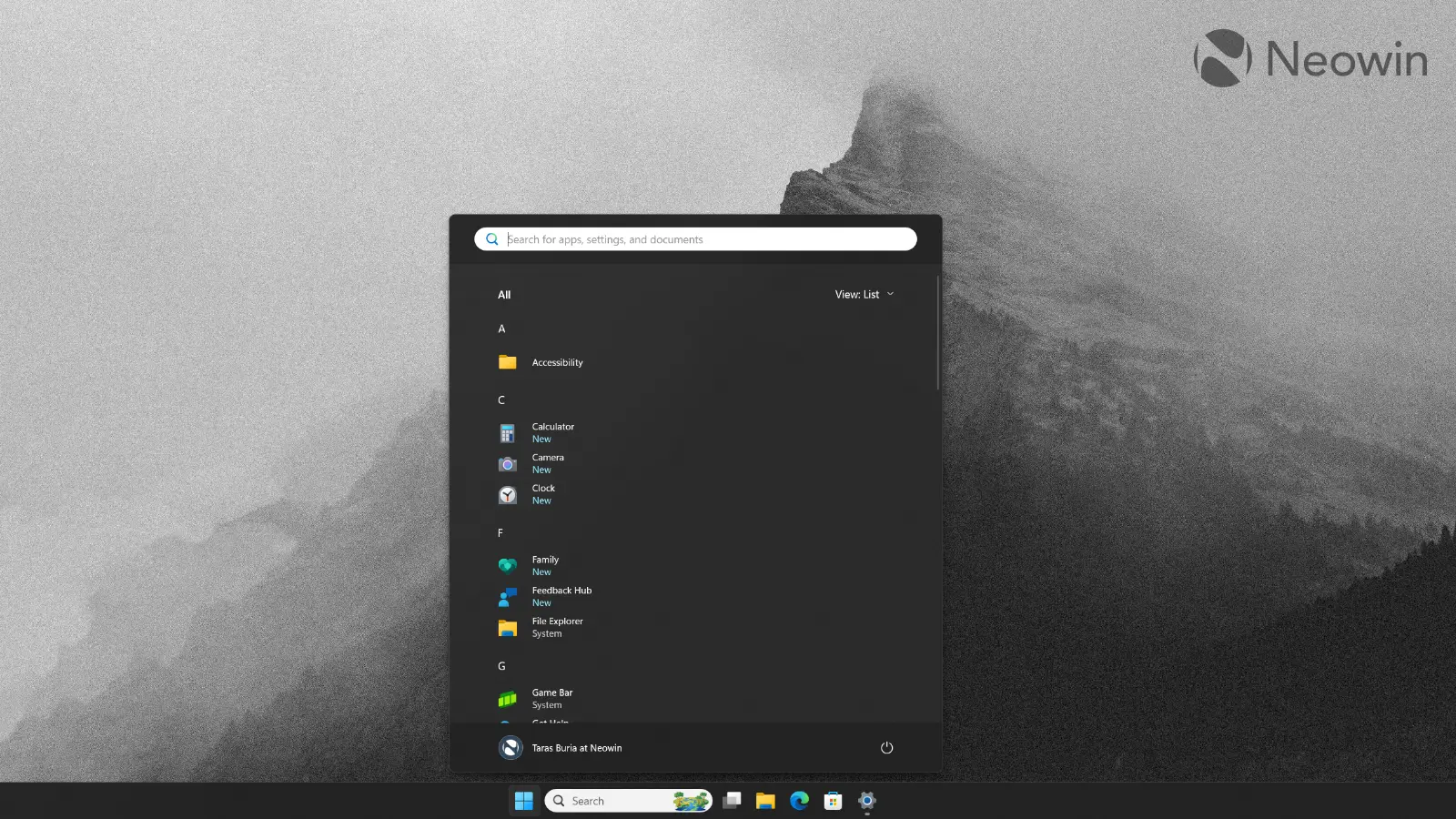
It is interesting to see Microsoft allowing you to remove the All Apps list. How are you supposed to pin apps to the Start menu if you do not have access to everything installed? However, here is a tip: you can pin apps from Windows Search. I am still not sure who would want no “All Apps” list, but hey, whatever floats your boat. I like customization, and I am glad that Microsoft is giving it, even when it makes little sense.
Resizability: The Taskbar is now resizable, and so is the Start menu. You can switch between a large and a small Start menu, which directly affects how many apps you can pin or view. In large mode, the menu hosts eight columns of apps and four app categories across, while small mode has six columns of apps and three categories.
While I welcome this change, it is still a far cry from Windows 10’s Start menu, which worked almost like a regular window: grab its corner and resize to your heart’s content. I wish the Start menu were more flexible in this area, and if you think the same, you can use this useful Windhawk mod to fix that.
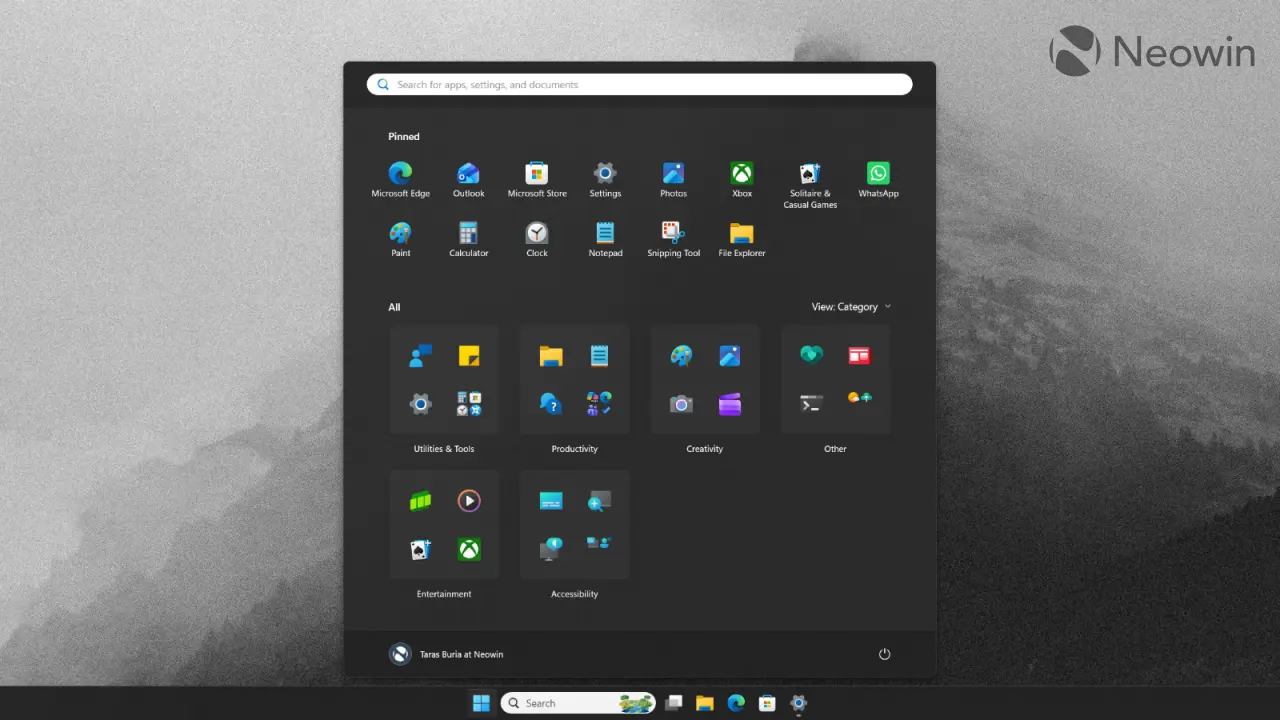
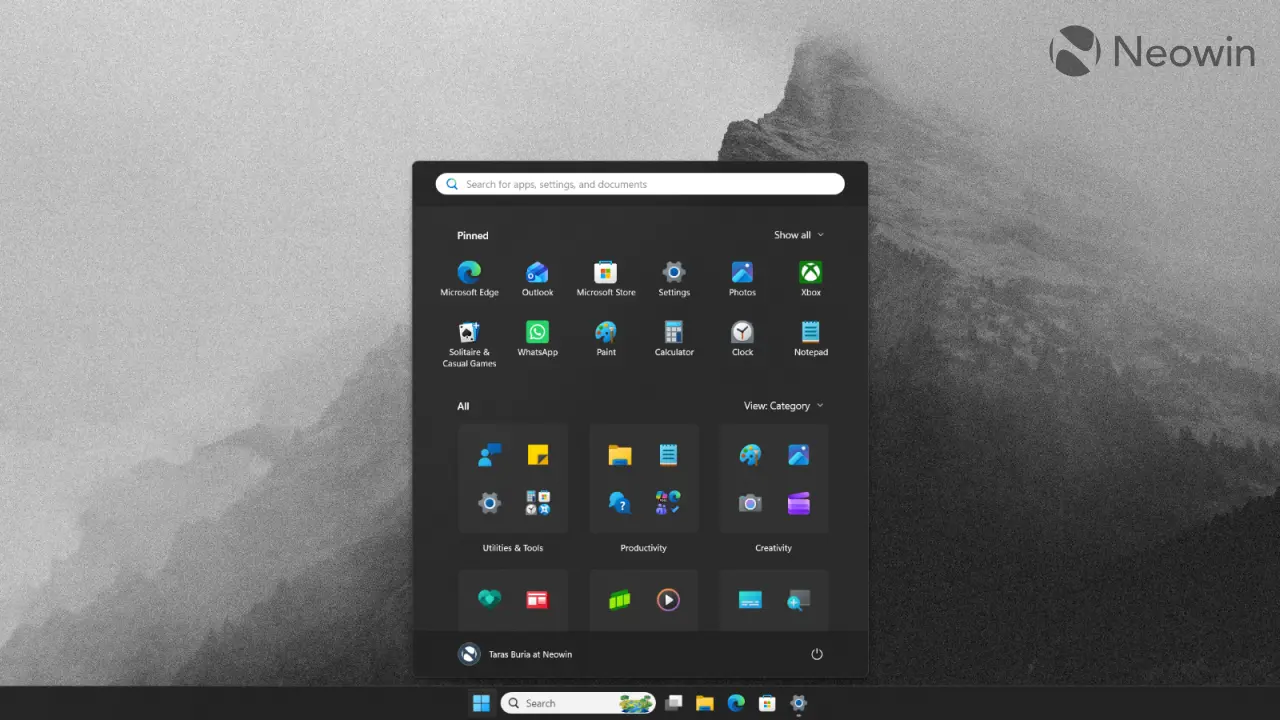
Hide your username: If you are recording your screen or showing something during a video call, you can turn off your profile name. I do not have much to say about this change, but I guess someone among hundreds of millions of users will find it useful. Again, I do not mind additional customization, especially after years of Microsoft being stubbornly unwilling to do anything.
All these changes are great and welcome, but Microsoft still has some work to do. Clicking the search bar still switches from the Start menu to Windows Search, which feels a bit awkward with its jump from one UI to another—not to mention that Windows Search is still a mess. Plus, Microsoft should do something with the Category view.
This feature has apps hard-coded into specific categories, and Windows 11 often cannot figure out where to put an app outside that list, resulting in most third-party apps being thrown into the “Other” category. On my PC, Steam, Affinity, Slack, WhatsApp, and other programs are shoved into one undefined group, which simply makes the Category view unusable. I like the idea, and I feel like this area is a perfect spot for some light AI to figure out where to put each program.
Is there something you still want Microsoft to do to Windows 11’s Start menu? Share your thoughts in the comments.